Steps
- Open the editor at designcraft.run/editor. The first load downloads the app; later visits open from cache.
- Open the file. Click Open on the start screen or use File › Open… and pick the .idml. Dragging the file onto the canvas works too. It opens as a new document tab.
- Check the fonts. Type › Find/Replace Font… lists every font the document uses and flags the missing ones, and lets you swap a missing font for one you have. Window › Output › Preflight Document reports missing fonts and other problems.
- Put back linked pictures. Pictures embedded in the IDML come in with it. Pictures that were only linked (the usual case) are separate files the browser can’t reach. Select each picture frame and use File › Place… to choose the image; it fills the selected frame.
- Edit. Change text with the Type tool, move frames with the Selection tool, and adjust styles in the panels.
- Save or export. File › Save downloads a .designcraft file you can reopen here. File › Export IDML… writes an IDML for InDesign users, and File › Export PDF… makes a PDF. Every save is a browser download.
What comes through
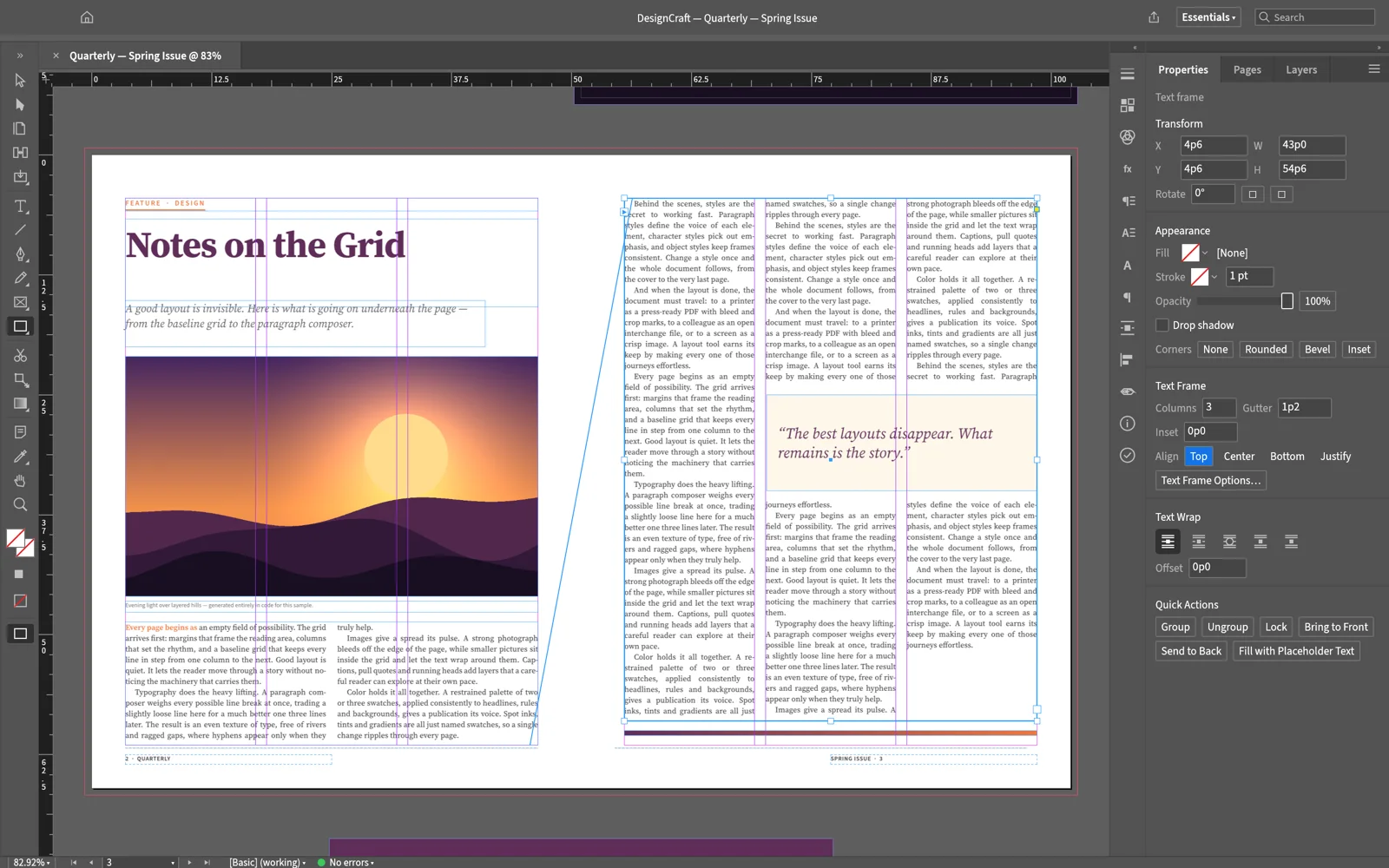
DesignCraft’s IDML importer covers the parts of a document most layouts depend on:
- Pages, spreads, parent pages and layers
- Text frames, graphic frames and shapes, with stories threaded across frames
- Paragraph, character and object styles, and swatches
- Tables, footnotes, cross-references and index entries
- Japanese, Chinese and Arabic text
What to watch for
- Fonts. The browser build has its own small set of fonts (Source Serif 4, Source Sans 3, Inter, JetBrains Mono and BIZ UDPGothic for Japanese) and can’t use fonts installed on your computer. Text set in anything else is drawn with a substitute until you replace the font. For documents that rely on specific fonts, the desktop app can use the fonts on your system.
- Reflow. DesignCraft composes the text itself. Its developers list known differences from InDesign: optical kerning falls back to the font’s own kerning, so imported text can set a little wider, and a frame can count as overset when the last line’s descenders don’t fit. Expect some line breaks to move.
- Rare frames. An open issue in the project notes that some frames in real-world files are not rendered, without a warning. Compare against a PDF from the sender.
- Threading by hand. Text already threaded in the IDML stays threaded, but DesignCraft can’t yet link a new frame into a story by clicking its out port.
Tips
- Save before you close the tab. The browser version has no autosave.
- Ask for a PDF as well. It is the quickest way to see what the designer intended when something looks off.
- Use the menus. Browser shortcuts such as ⌘N and ⌘W belong to the browser, so the menu items are the reliable way in.
- Rewrite copy to fit. If a story runs long after import, the AI panel can shorten pasted text to a word count with your own API key.
FAQ
Can I open an .indd file the same way?
No. DesignCraft reads IDML, not InDesign’s own .indd format; reading .indd is the top file-format item on the project’s list of gaps. Whoever made the document can export an IDML from InDesign in a minute.
Is it safe to open client files here?
The file is read by the editor inside your browser and never uploaded. Nothing about the document reaches designcraft.run’s servers.
Will the file look exactly as it does in InDesign?
Close, but not always identical. DesignCraft sets the text with its own composer, so lines can break differently and a frame can end up with overset text. Fonts the browser build doesn’t have are replaced. Compare page by page with a PDF from the sender before you rely on it.
Can I send the edited file back to an InDesign user?
Yes. File › Export IDML… writes an IDML package that InDesign can open. The project checked its exported files by opening them in InDesign 2026, but a round trip is not yet proven on large real-world documents, so keep the original.